
District Leaders
Welcome District Leaders
Explore our variety of materials for district leaders, including information about becoming a district leader, district tournaments, forms, and reporting requirements.

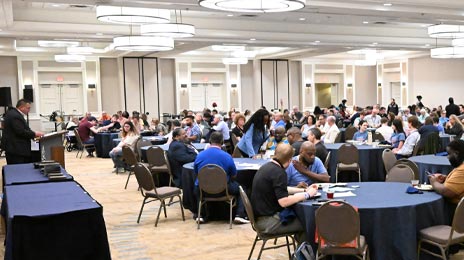
District Leader Onboarding
Learn about the onboarding process for district leaders

District Tournaments
Learn about district tournaments and eligibility

Leader Newsletter
Keep updated with our Leader Newsletter
District & Nationals Leadership

Welcome District Leaders
District Tournament Administration
Growth & Retention
Recognition
District Prep
Creating Your District Tournament
How to complete the District Dates form
Rules and Manuals
District Awards Nomination Forms
Promote these forms as a way for your district coaches to nominate individuals for district-level awards. You’ll have access to their nominations to name a district winner eligible for the national award.
District High School Coach of the Year Award
District New Coach of the Year Award
District Assistant Coach of the Year Award
District High School Administrator of the Year Award
District Student of the Year Award
Other Useful Info
Judge Training – Considering offering an optional or mandatory judge training? Our judge resources include an Adjudicating Speech and Debate course developed in conjunction with the National Federation of High Schools.
Assigning Roles – Check out suggestions for coach roles at the district tournament.
District Qualifying Info – Access info for member schools participating in districts including district level award nomination forms, allotment information, district eligibility, and more.
Running Districts – Tabroom
Tabroom.com Timeline
- All district chairs will be required to submit the dates and preferences for their district tournament series on Tabroom.com. If any part of the tournament series begins in the current year, the Tabroom dates form is due October 31 at 5:00 p.m. CT. If all parts of the tournament series begin in the next calendar year, the Tabroom dates form is due November 30 at 5:00 p.m. CT.
- Four weeks prior to your tournament – Sometime during this week (or sooner, if you wish), begin working on your website to update details about your event. Please remember to include in your posted information details about judge requirements, school/district fees, entry fees, deadlines, and drop fees if these apply to your tournament.
- Within a month prior to your tournament – We STRONGLY recommend that you get to know the software. There are guides for both Debate and Speech. Reach out to the NSDA staff, and we will help you get set up with a test tournament online.
- Two week Registration Window – It’s recommended you give at least two weeks for the registration period…more if your schedule permits. Help your member coaches register by sharing the “how to register” document with them.
- One week prior – The National Speech & Debate Association recommends closing registration one week prior to your tournament.
After the tournament – Audit and post your results to Nationals registration.
Running Districts – SpeechWire
- At any time ahead of your tournament – Place an order for SpeechWire services at www.speechwire.com/order – SpeechWire will monitor the list of districts planning to use SpeechWire, but the quickest way to let SpeechWire know you are ready to get started is to place an order so that it can be approved and your login details can be sent to you.
- About six weeks prior to your tournament – You should have your introductory email from SpeechWire with login information to run your tournament. Email support@speechwire.com for assistance.
- Four weeks prior to your tournament – Sometime during this week (or sooner, if you wish), begin working on your tournament to update details about your event. Please remember to include in your posted information details about judge requirements, school/district fees, entry fees, deadlines, and drop fees if these apply to your tournament.
- Two week registration window – It’s recommended you give at least two weeks for the registration period, or more if your schedule permits.
- One week prior – The National Speech & Debate Association recommends closing registration one week prior to your tournament.
- After your tournament series is completed – Your district’s NSDA points will be automatically posted after each weekend of your tournament. There is no action required from the district in order for points to be posted. Results from your district series will be posted to National Tournament registration site on Tabroom.com within two weeks of your entire series ending. District chairs should email support@speechwire.com after the conclusion of the entire district series to signal that the series is complete and results should be posted. The district chair should email or mail copies of the Single Entry Letter of Intent forms to info@speechanddebate.org once the entire series is complete. No other materials need to be sent to the national office. Coaches with qualifying entries for Nationals will receive an email from the national office once registration is open for your district.
Nationals Prep
Access an at-a-glance checklist for tracking completion of the items below.
National Tournament website – View general information about the National Tournament.
Award Reporting – District chairs, please use this form by April 16 to let us know the names of your district student, coach, and administrator award winners and officially nominate them for the national-level awards!
District Ads – Submit your district ad for the Tournament Book. (Note: This form closes April 22. Chairs who request ad space are allowed to submit final ads to vicki.joss@speechanddebate.org by May 5.)
Nominate Late Elim Judges – If you are highly qualified to judge and would enhance the diversity of our panels, consider completing a diversity profile and nominating yourself to judge late elimination rounds on Tabroom.com. Please encourage the judges you bring to Nationals to do the same by May 1! Instructions »
District World Schools Debate – All Association districts are allowed to qualify up to two teams of three to five students for the National Tournament Invitational. Students must have competed at the district tournament to be eligible for the WS team. The entry fee is $75 per student on the team ($50 per student if they are in the hotel block). Each district must provide a full-time judge for each team available for the entirety of the competition. Districts that do not provide a full-time judge for each team will not be permitted to enter. Team names and judges are due May 1.
To enter your WS team(s) via Tabroom.com, please follow these steps:
- Log in to Tabroom.com. (Remember, only chairs may enter WS teams!)
- On the right side of the screen, under Institutions, click on the name of your district.
- When the new screen loads, click on the rectangle in the upper right that says Nationals. If you’ve clicked on the correct button, your screen will then show the Nats logo.
- To enter WS teams, first select your team name(s) from the drop-down. At Nationals, they’ll be listed on the schematic as [District] [Color].
- Then, select the school name of your first WS team competitor. Once selected, a list of eligible students from that school will populate in a second drop down to the right side.
- Remember that you may enter one or two teams of between three to five students each. Add coach names under each team, and click “Save Teams” when complete.
Is your program new to the NSDA?
Welcome!
Instructions
Welcome Back!
Instructions
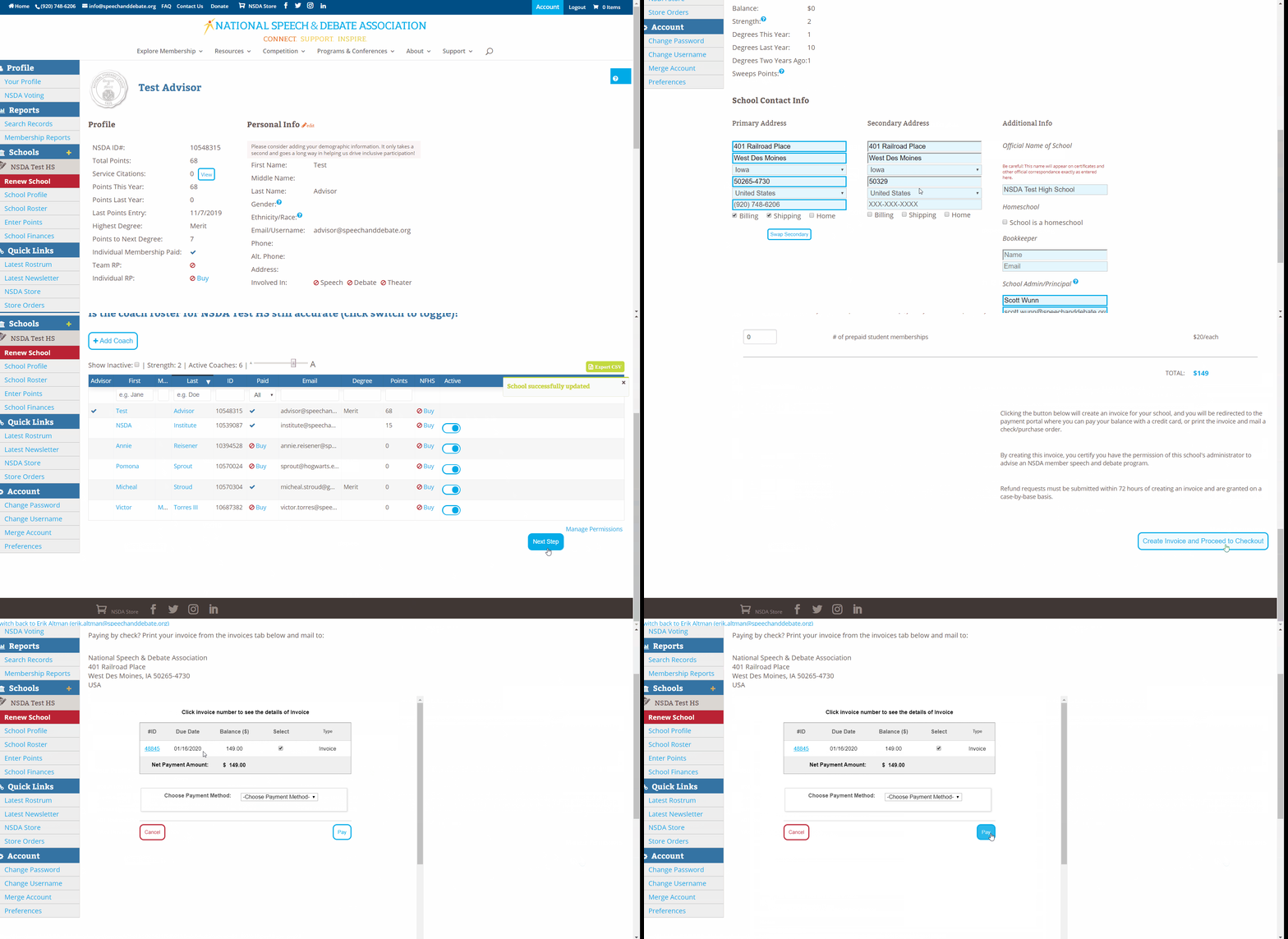
- Program advisors can visit www.speechanddebate.org and click Member Login in the top right corner of the page. Use your username and password to log in to your account. Once you’ve logged in, click “Account” in the upper right corner, which will take you to your profile page. Please click “Renew School”, in red, from the left menu and follow the prompts at the top of the page to renew your school.
- High school membership is $149, with an option to upgrade to the all-school team Resource Package for an additional $199. Each individual high school student membership is a one-time $20 fee.
- Middle school membership is $75, with an option to upgrade to the all-school team Resource Package for an additional $199. Each individual middle school student membership is a one-time $10 fee.
- To finalize the renewal, follow the prompts on the page to review the following:
Step 1. Confirm information on the school profile page. Once confirmed/updated, click the “Next Step” button.
Step 2. Confirm the coaches listed. Once confirmed/updated, click the “Next Step” button.
Step 3. Create the invoice. The annual dues are automatically selected. You can use the toggle to select other options such as coach memberships, student memberships, insurance, and the Resource Package. The prices for each item are listed on the right side of your screen, and a running total is at the bottom in blue. When done, “Create Invoice and Proceed to Checkout”.
The system allows you to “Pay Now”, with a credit card or you can email the invoice to yourself or print out the pdf.
Need a Visual? Click here to watch our brief tutorial!
(The GIF will loop continuously; there is no audio.)