
NSDA Materials Guide
Welcome! Thank you for sharing your expertise by creating materials for the speech and debate community. This page will provide information about the process as well as content guidance for creating NSDA materials.
Competition Events
Competition Events
Process
- After reviewing the Scope of Work and deadline (on page 2), sign and return the NSDA Independent Contractor Agreement to the NSDA staff member you are working with.
- Send a completed W9 form and an NSDA ACH Authorization form (if you want to be paid via direct deposit) directly to billing@speechanddebate.org.
- Create the content described in the Scope of Work. You can use any word processing format you prefer (please no PDFs). Keep the formatting simple. While you work, feel free to reach out with requests for feedback, questions, etc.
- Send a draft of the content by the specified deadline. We will edit and may ask you to make some revisions before the content is finalized.
- When the content is finalized, we will send payment through your requested method (mailed check or direct deposit).
- As a paid independent contractor, the NSDA will retain ownership rights of the work created under the NSDA Independent Contractor agreement. We will list you as an author/contributor, and you can use the materials for your own coaching and teaching purposes.
- We will copy edit, create visuals and other supplemental materials as needed, and ensure proper formatting.
- We will brand the materials and post them to our website for our members or the broader speech and debate community.
Content
Our goal is to share high-quality, inviting, and engaging materials in accordance with the following guidelines:
Audience-Centered
-
- Write with the target audience in mind, whether they have little or no exposure to speech and debate or are advanced competitors.
- Write directly to the audience (in the second person, not the first person).
No: “When I go to tournaments, I usually…”
Yes: “When you arrive and enter the building, you’re likely to notice the following things…”
-
- Write in a conversational yet polished style.

This excerpt shows a conversational, second person writing style that acknowledges the target audience may have little to no speech and debate experience.
Inclusive
-
- Create content and use inclusive language that recognizes a wide-range of identities, geographic locations, socioeconomic backgrounds, etc.
- Acknowledge and explain when concepts or practices are not universal, such as regional differences in the activity, varying access to resources, etc.
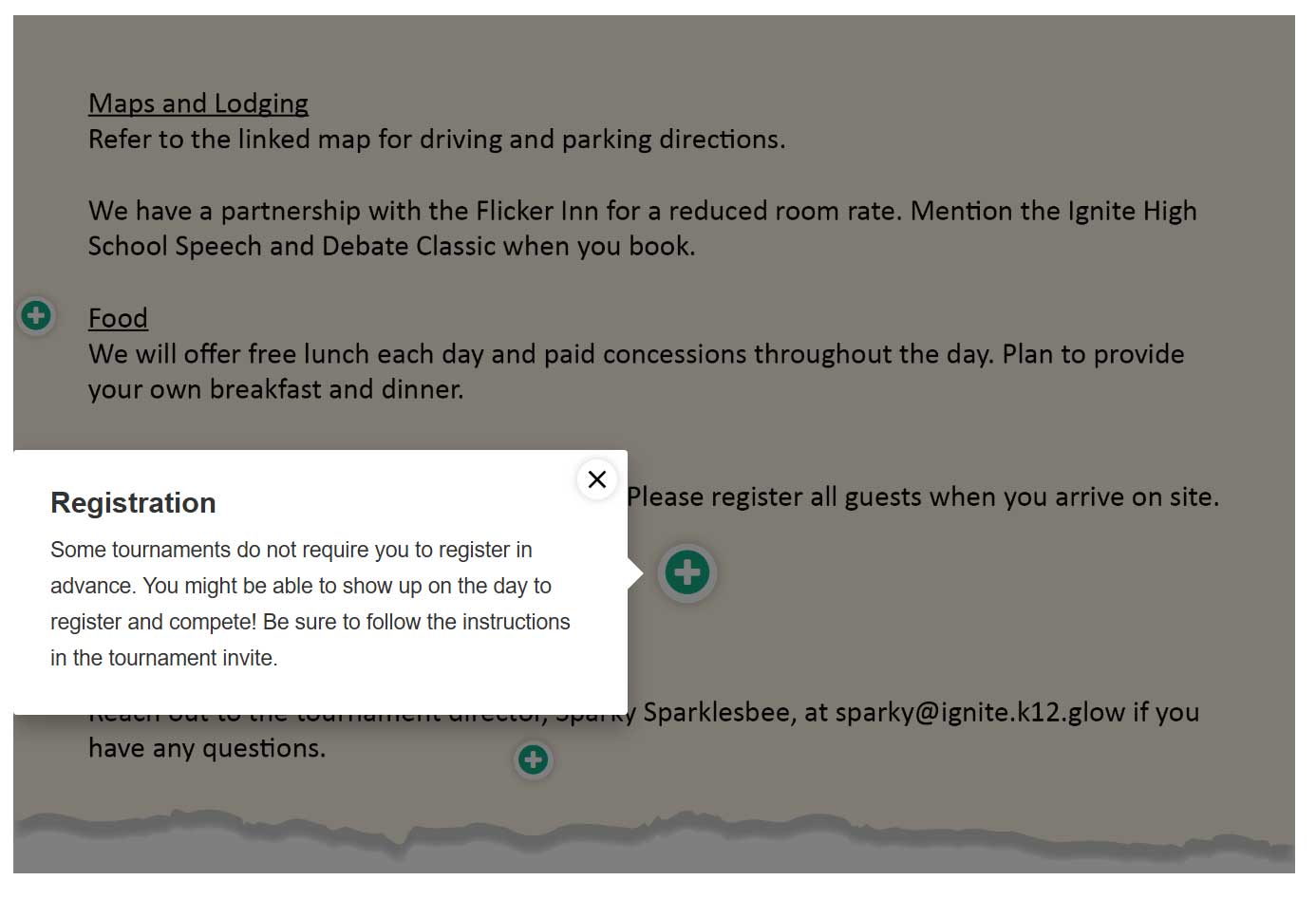
This excerpt acknowledges that the practice of speech and debate varies and does not assume a universal experience or standard.
-
- Avoid taking a stand on political issues.
Clear and Concrete
-
- Explain concepts as clearly as possible.
- Include a variety of examples, ideas, and perspectives to help learners understand the content.
- Bold the first instance of any speech-and-debate-related jargon, common abbreviations, terms of art, etc., and define them.

Here, the concept of judging is explained by comparing it to a basketball game, which is an easy-to-understand reference. It puts new concepts (“judging,” “judging obligations”) in bold and defines them.
Visual
-
- Include or describe visual representations of important concepts whenever possible. We can create many types of visual aids to support your content, including photos, charts, diagrams, and infographics.
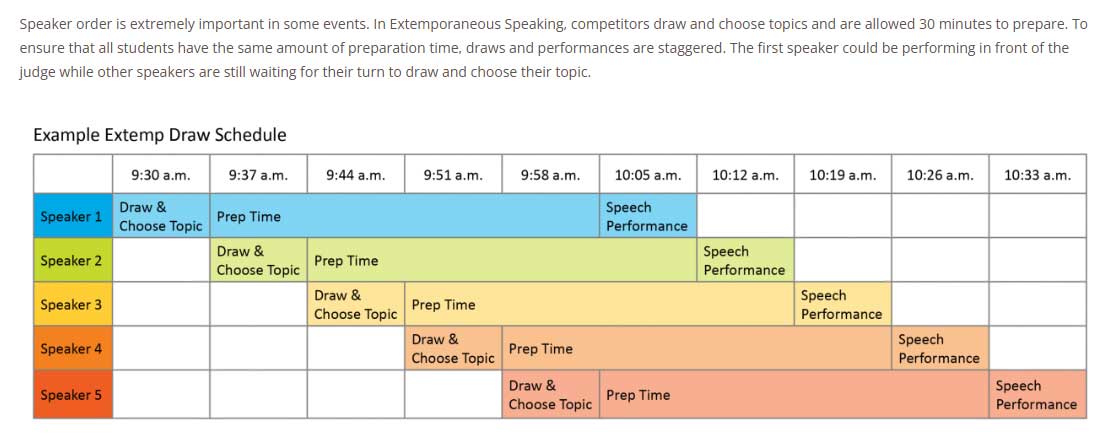
Here, a new concept (Extemp draw schedules) is described in text as well as depicted visually so learners can read about and visualize the concept.
-
- Images and videos should be used to illustrate or exemplify written content, not serve as the primary instructional method.
Creating Videos
If you do create a video, use the following tips to make sure your recordings look and sound their best.
Lighting
We need to see your face clearly. Your expressions matter!
Face the light, don’t sit with a bright window or lamp behind you. Natural light from a window in front of you usually looks great.
If it’s too dark, adding a light (like a desk lamp) in front of you can make a big difference.
Framing
Set your camera at eye level, not looking up or down at you.
Keep your head and shoulders in the frame, like a news anchor.
On webcams, avoid too much empty space above your head or cutting off your chin. If filming your entire body, ensure you’re centered in the frame.
Use landscape (horizontal) mode unless asked for vertical video.
Sound
Record in a quiet room with minimal background noise.
Turn off fans, music, and phone notifications before filming.
If possible, use earbuds or a small plug-in mic. They often sound better than your phone or laptop’s built-in microphone.
Speak clearly and at a steady pace; we can adjust volume later.
Camera and Setup
Clean your camera lens. Fingerprints blur your video.
Use the rear camera on your phone if it’s better quality.
Stabilize your camera using a stand, books, or a solid surface.
Check your framing and lighting before recording. Record a short test clip and review it to make sure you can be clearly seen and that you’re in frame.
Delivery Tips
Look toward the camera lens, not your screen, when speaking.
Smile naturally and speak conversationally, just like teaching a class or giving feedback at a tournament.
Keep your energy up! A little extra enthusiasm comes across well on video.
Before You Send
Watch your video once through and ask yourself:
- Can you see your face clearly?
- Can you hear yourself clearly?
- Are there no major distractions in the background?
Finally, upload the video file to Google Drive and share it with us.
- If you have your own visuals that you would like to include, they should:
-
- Be created or owned by you, open source, or cited.
- Reflect the diversity of the speech and debate community. Members of the speech and debate community have a variety of backgrounds, identities, and characteristics.
- Include captions, explanations, or annotations for the learner.
- Follow accessibility standards. Be mindful of font size, color contrast, and descriptive text. Choose color combinations that are mindful of our members with limited vision and color blindness.
- Include transcripts for videos and alt text descriptions for images.
Writing Alt Text
Include alt text, or a short description of what is depicted, for all images.
The alt text should be a few words, phrase(s), or one or two sentences, depending on the complexity of the image.
Avoid redundant language such as “image of” or “photo of.”
Include a verb at the beginning of the alt text if the image is a link or has a specific function. For example, an interactive thumbnail image might have alt text that says, “Download the Start Here Lesson Plan.”
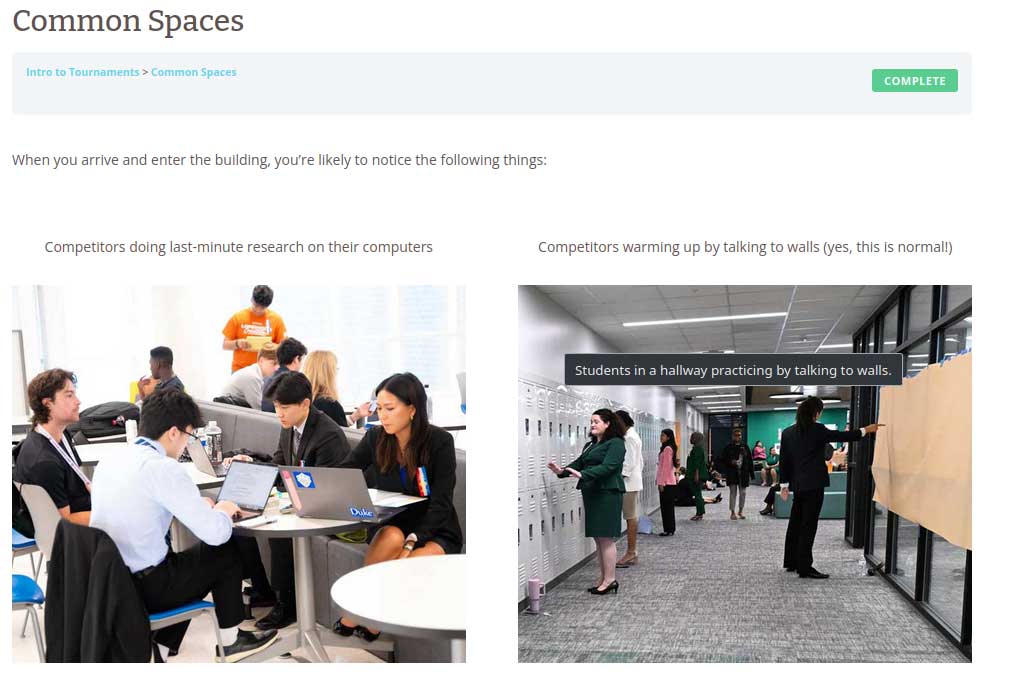
When learners hover over an image or use a screen reader, they can access the alt text description.
Interactive
Include options for interactive ways to work with the content. Simply note in your content where you’d like to include an interactive component and we can build it. This can include:
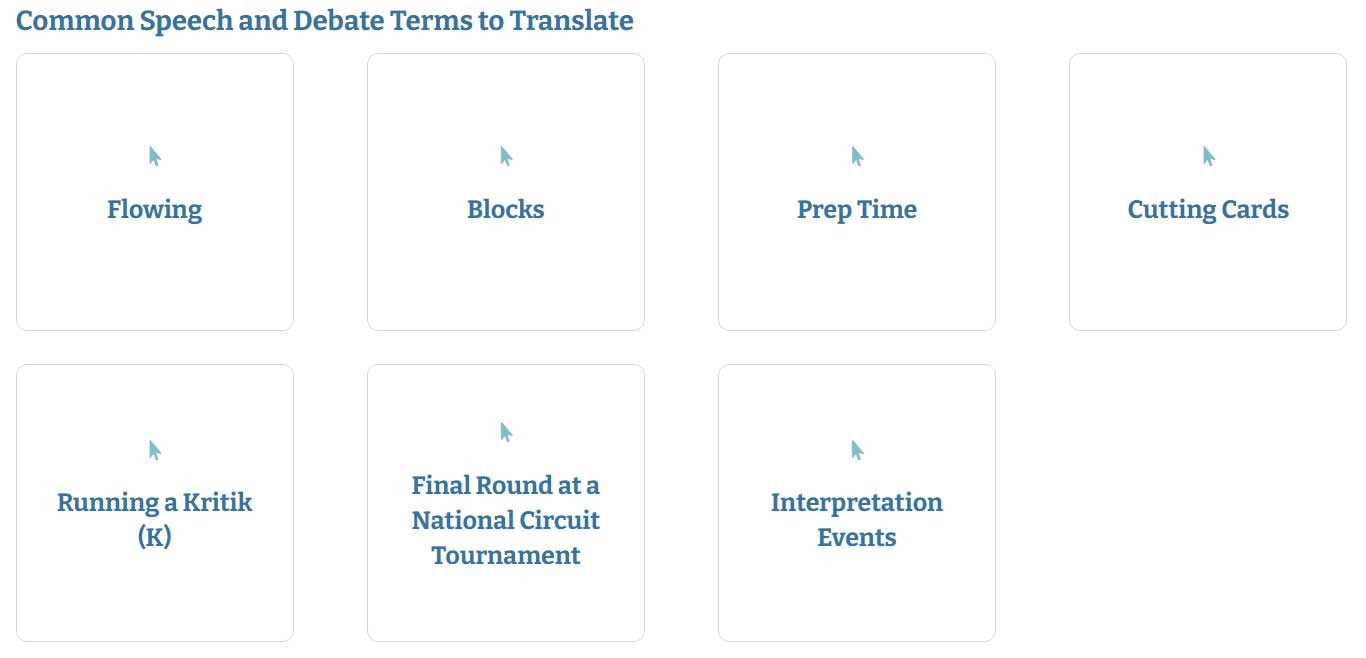
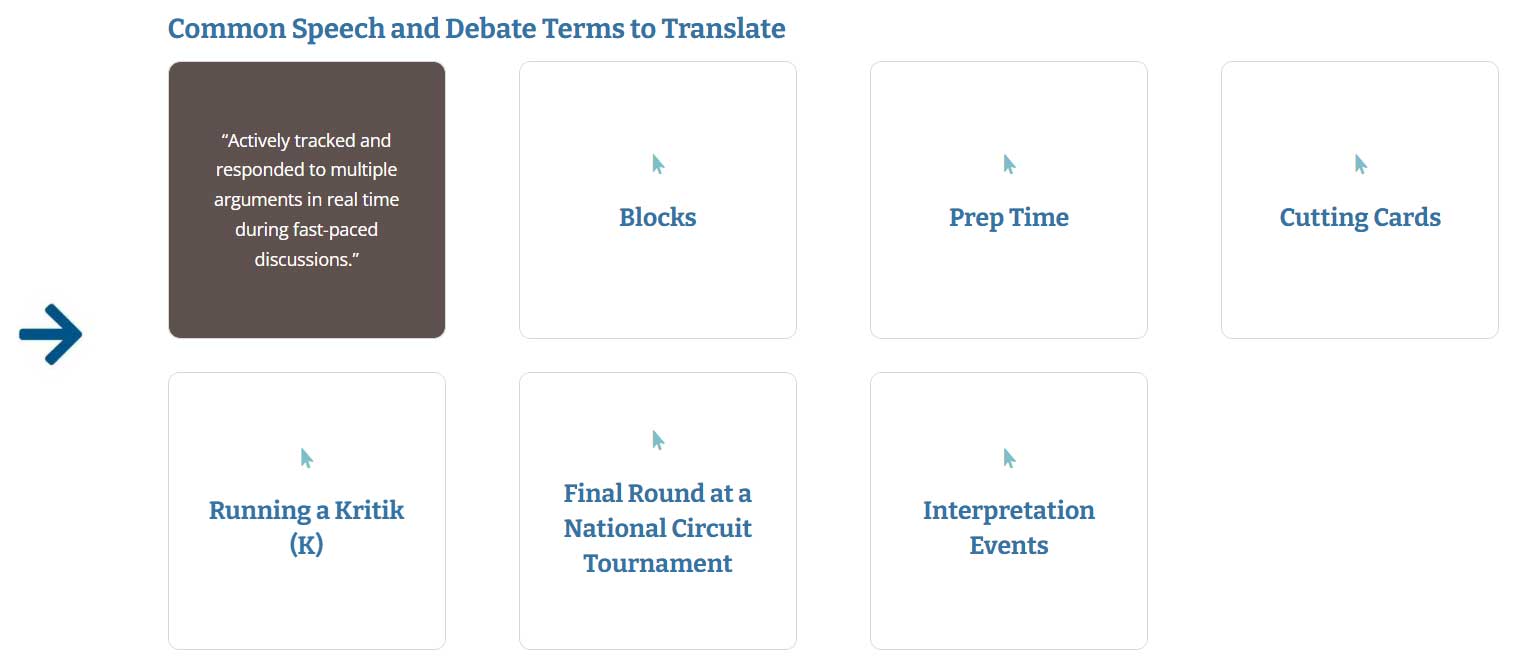
- Flipboxes/flash cards – text or images that a learner can click or tap to reveal additional information.
-
- Timelines – vertical or horizontal information in chronological order.
- Embedded slides – slideshow for learners to navigate through.
- Series of images – in rows, columns, or collages to illustrate a concept.
- Drag and drop tasks – pieces that learners can move around to organize information.
- Sorting tasks – used to help learners identify similarities and differences.
- Matching tasks – learners group similar or related items.
- Questionnaires – a series of questions to help learners reflect.
- Interactive images with pop-up text – also called image hotspots; directs the learner’s attention to particular parts of an image or text.
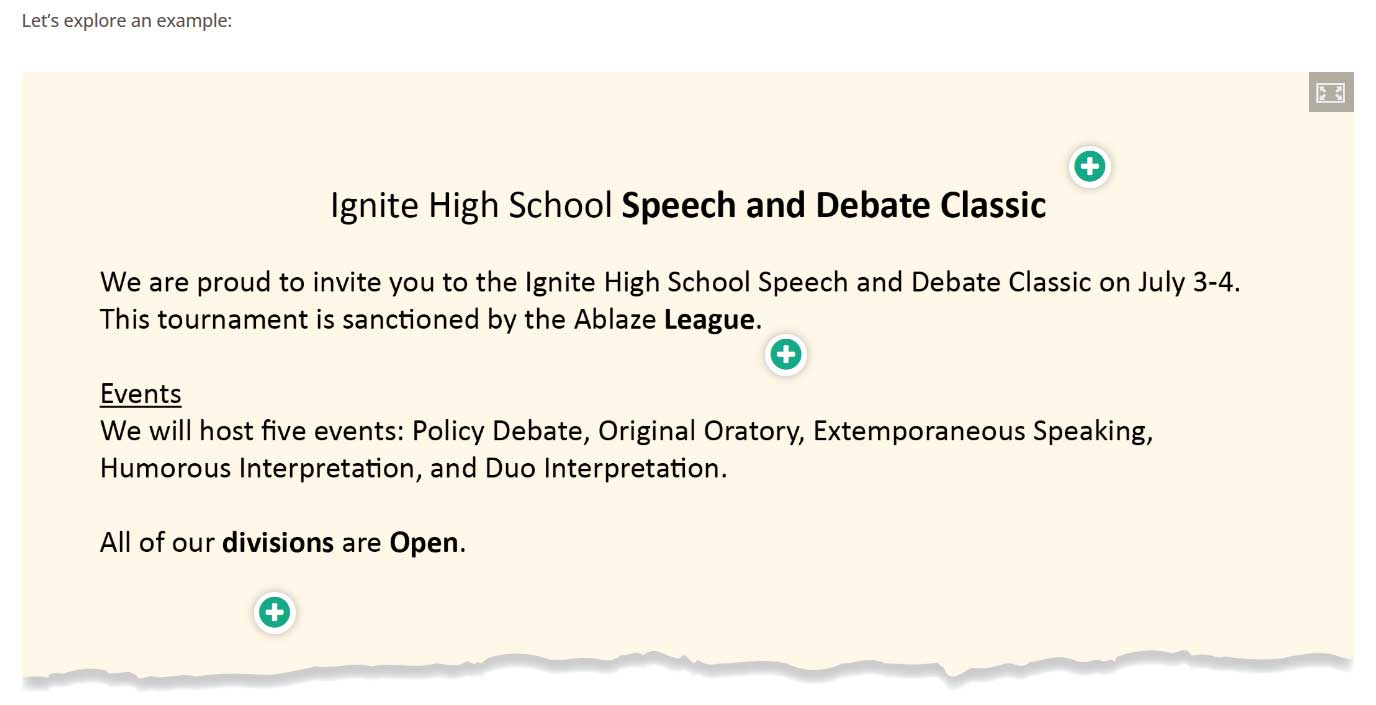
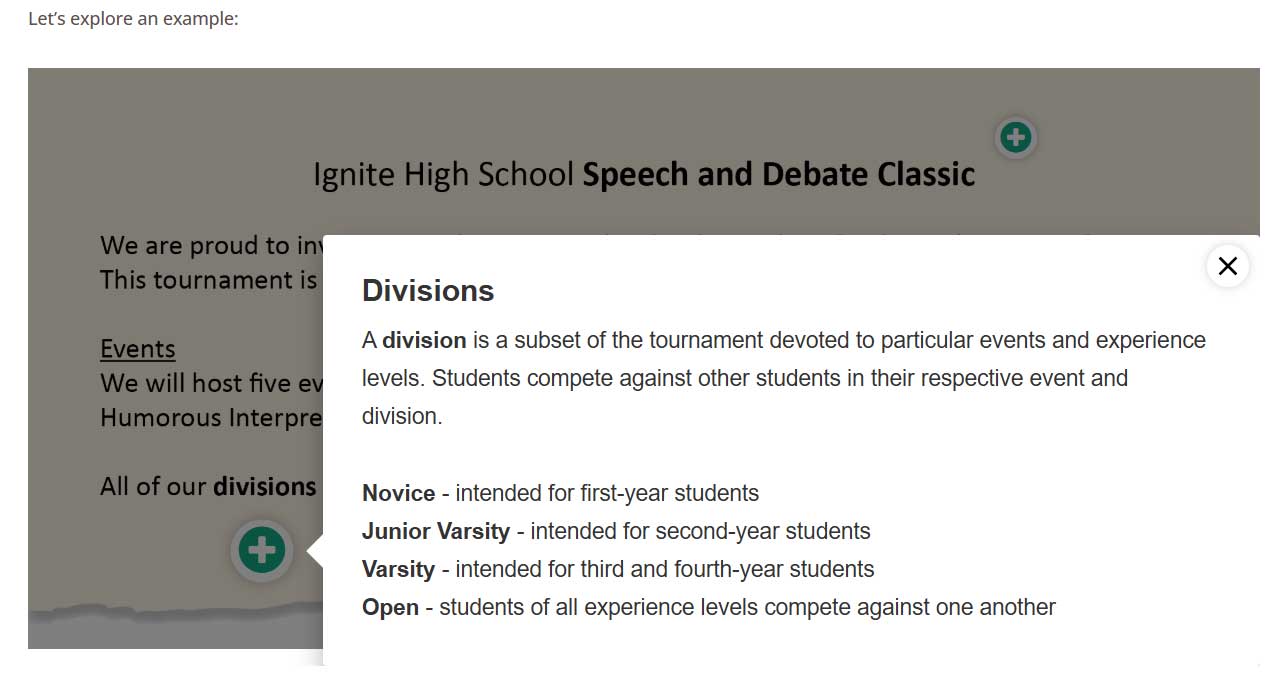
Here, image hotspots are used to help learners analyze a tournament invite. Learners can click the green plus sign to explore additional information.
-
- Include instructions to help the learner navigate any interactive elements.
Assessed
-
- Include options for learners to check their comprehension of the material.
- Assessments should genuinely assess learning. When assessments are too basic or obvious, learners may abandon the material.
- We can use these common objective question formats:
Mutiple Choice
Mutiple Select
True/False
Sorting
Matching
Ranking
Fill-in-the-Blank
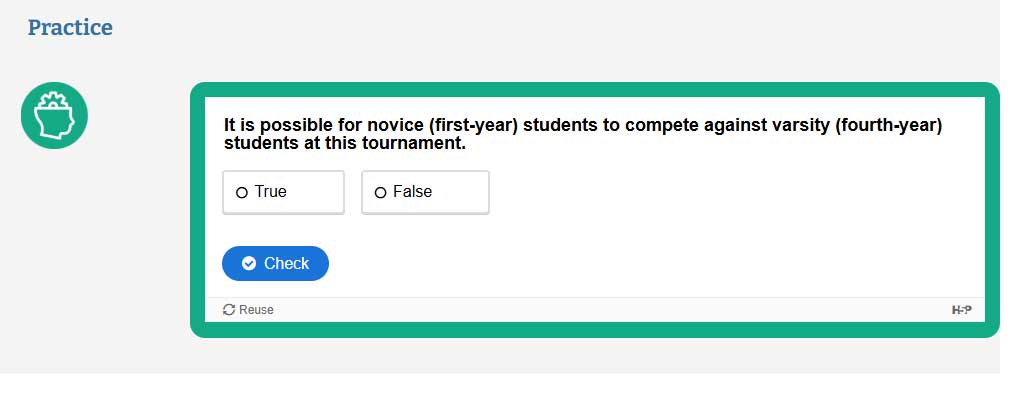
An example True/False question.
-
- Possible answers should include descriptions of why they are the incorrect or correct answers.
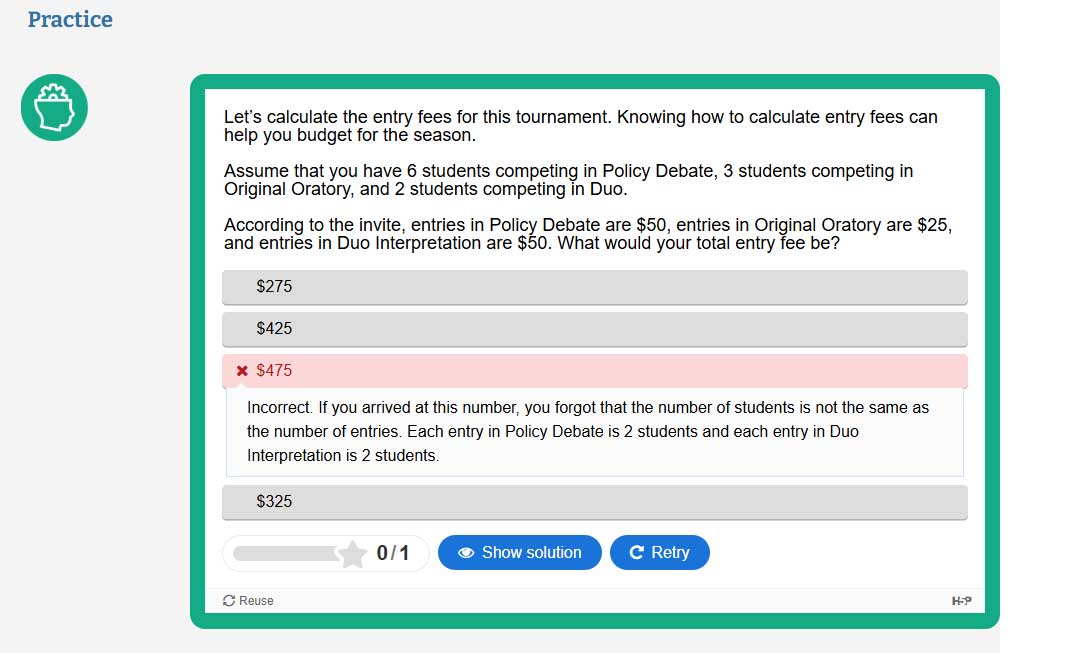
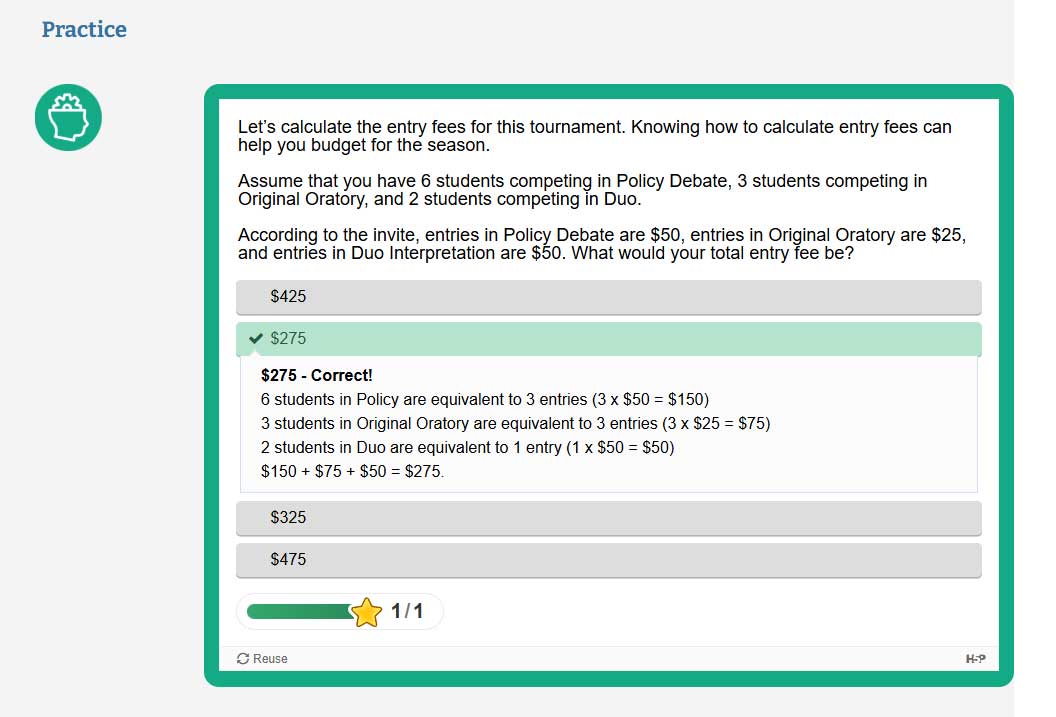
Answers should include descriptions of why they are the incorrect or correct answer, without merely stating the correct answer.

We will mark assessments as “Practice” and give learners multiple opportunities to identify the correct answer(s).
Engaging
Feature boxes and call-outs can add interest and keep learners engaged. Note whenever there is role-specific information, in-depth information, or specific information about the NSDA, NSDA events, or NSDA values. We will create feature boxes to draw attention to the information and supplement your content.
Role-Specific Information

Competing Tip – call out information that is specific to student competitors.

Coaching Tip – call out information that is specific to coaches.

Teaching Tip – call out information that is specific to teachers.

Judging Tip – call out information that is specific to judges.
In-Depth Information

Case Study – identify detailed or long-running examples.

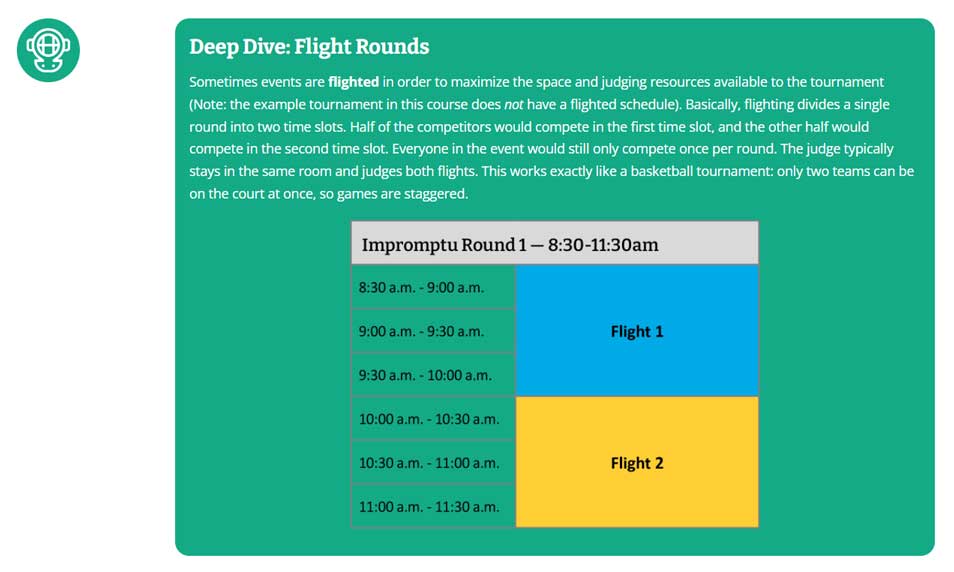
Deep Dive – identify advanced or additional information.
NSDA

Sparky Note – identify information about the NSDA, such as its history, mission, services, or additional resources.
NSDA Events

The category of Speech events

The subcategory of Public Address events

Commentary

Declamation

Expository

Extemporaneous Speaking


Impromptu

Informative Speaking

Original Oratory

Original Spoken Word Poetry

The subcategory of Interpretation events

Dramatic Interpretation

Duo Interpretation

Humorous Interpretation

Poetry

Program Oral Interpretation

Prose

Storytelling

The category of Debate events

Big Questions

Congress

Extemporaneous

Lincoln-Douglas

Policy

Public Forum

World Schools
NSDA Values
Used to identify information that highlights an NSDA value.
Equity

Integrity

Respect

Leadership

Service

Humility

Wellness
Complete
- Include all essential information in the main content and avoid long lists of additional resources.
- Minimize links to non-NSDA materials.
- Do not link to paywalled content outside of the NSDA.
- Include MLA citations for any sources that are used.
This “Sparky Note” appears after the text references several NSDA competition events, so it is a great place to include a link to additional NSDA resources for curious learners.
Original
- Use your experience and expertise to develop the content.
- If you have other ideas for presenting information, just let us know!
Thank You
Thank you for creating resources to support enriching speech and debate experiences for students, coaches, teachers, and judges!